

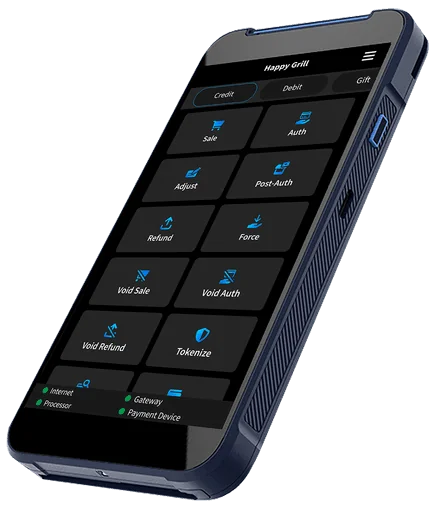
Keep the order in the conversation.
Aldelo Express connects the order and integrated payment in one workflow. Try checkout with the supported devices and merchant account planned for your restaurant.
CONNECTED CHECKOUT
Connect payment acceptance with Aldelo Express. Explore a checkout flow that brings the order and payment together at the counter, table, or wherever you serve.
SEE IT IN ACTION
From counter orders on T2 to tableside service and payment with P5L. See how Aldelo Express connects your team around the guest.
FROM ORDER TO CHECKOUT
Aldelo Express connects the order and integrated payment in one workflow. Try checkout with the supported devices and merchant account planned for your restaurant.
T2 and P5L both run Aldelo Express POS with native integrated EMV chip and tap payments. Choose a counter station or handheld around where your guests pay.
Demonstrate payment recording, refunds, tips, and reconciliation with the sales team. Verify account permissions, offline handling, and exceptions for your operation.
CHECKOUT FOLLOWS YOUR SERVICE
Explore a staffed counter with Aldelo Express and an ePay Terminal. Demonstrate ordering, payment acceptance, and receipt delivery together.
Explore this device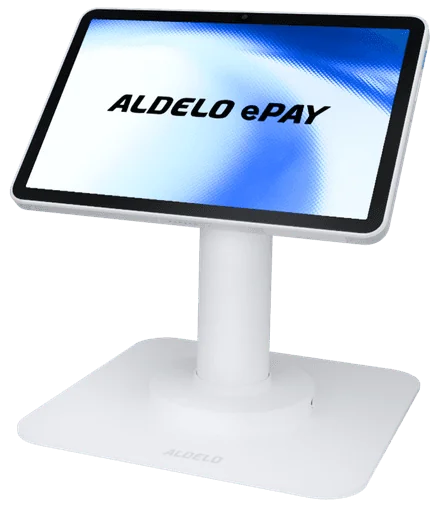
PLAN FOR THE UNEXPECTED
With a supported ePay setup, Store & Forward can hold eligible transactions securely during an internet or processor interruption and submit them when the connection returns.
Certified devices include T2, P5L, PAX A920Pro and PAX A35. Configure Store & Forward and transaction limits at your store.
Discuss my offline setupUse T2, P5L, PAX A920Pro or PAX A35 with a compatible account. Configure Store & Forward and transaction limits at your store before an interruption.
Agree on how staff handle pending payments, receipts and requests that need a manager’s help.
Review submitted transaction results against POS tickets and resolve pending or declined items before closeout.
A stored payment is pending, not an authorization. Review submission results and reconcile the payment with the POS ticket after connectivity returns.
CASH DISCOUNT WITH ALDELO EXPRESS
Offer a discount from your regular price when guests pay with cash. Aldelo Express applies your configured cash discount at checkout and can show the cash total on the guest check.
Ask about cash discountReview menu prices and choose the discount that fits your restaurant.
Show the cash total on the guest check so guests can understand their choice.
Explain the program clearly before guests order and pay.
Cash discount differs from a card surcharge. Confirm the program, pricing, receipt and signage requirements for your restaurant before enabling it.
GET ALDELO EPAY
Download Aldelo ePay, start merchant-account setup and bring payments to your counter or service floor.


Payment acceptance requires an approved merchant account and a supported payment setup.
Questions before you start?BRING THESE QUESTIONS
Which POS, device, and processor combination is supported?
How do tips, split checks, refunds, and voids work?
What happens when a transaction result or network connection is uncertain?
Which gift and loyalty services fit the proposed setup?
Get my proposalRelated to this page
These suggestions match this page and any preferences you selected.
Recommendation preferences stay in this tab for the current visit. Reset clears them; hiding this section leaves other website features available.
LET’S MAKE IT WORK FOR YOU
Tell us about your processor, checkout needs or device questions. We’ll help you review the supported options.